How to Redeem Codes in Capybaras VS Plants
Open Shop, scroll down, type your code — every step for PC, mobile, and tablet.
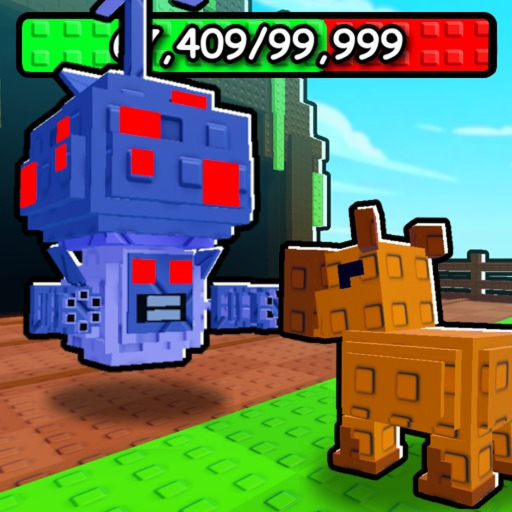
Redeeming promo codes in Capybaras VS Plants takes less than a minute once you know where the input box lives. Unlike some Roblox experiences that hide codes behind NPCs or group-only links, Scarlett the Dog Group placed redemption directly inside the Shop menu at the bottom of the panel. This guide walks through the process on every platform and explains what to do when rewards do not appear instantly.
Before you start, open the Codes Hub and copy an active code such as UPDATE2 or 250KVISITS. Codes are case-sensitive — paste rather than retyping when possible.
Step 1: Launch the experience
Join Capybaras VS Plants from the official Roblox game page or your favorites list. Wait until your plot fully loads and you can see your capybara army slot bar. Redeeming on a half-loaded server sometimes delays reward delivery until you rejoin.
If you play on a fresh account, finish the brief onboarding that teaches you to buy and place an egg. The Shop button becomes available once you are on your personal plot.
Step 2: Open the Shop menu
Look for the Shop icon on the left or bottom UI bar depending on your device. On PC, it is typically a cart or storefront button; on mobile, it sits alongside plot tools and inventory shortcuts.
Tap or click Shop to open the full store panel. This panel sells eggs, hammers, totems, and premium boosts — scroll past those sections. The Codes input is always at the bottom of the Shop, separate from Robux purchases.
Step 3: Find the Codes box
Scroll to the lowest section of the Shop panel. You will see a text field labeled Codes or Enter Code with a Redeem button beside it. There is no secondary confirmation screen — one click submits the string.
Do not confuse the Codes box with chat commands or Roblox-wide promo pages. Capybaras VS Plants only accepts codes through this Shop field.
Step 4: Paste and redeem
Paste your copied code into the field. Verify characters match exactly:
- 10KFAVS — Cash and Totem of Stars
- 250KVISITS — Cash and Gilded Hatch Hammers
- RELEASE — Cash, Hatch Hammers, and Ghost Capybara Egg
- UPDATE2 — Cash, Totem of Wealth, and Totem of Fortune
Press Redeem. A green success banner should appear listing each reward. Cash updates in your top HUD counter; items land in inventory or your tool bar.
Step 5: Confirm rewards landed
Check these locations after redeeming:
- Cash total — top of screen; large codes like 250KVISITS should produce a visible jump.
- Inventory / Items — Hatch Hammers, totems, and eggs appear here.
- Plot — the Ghost Capybara Egg from RELEASE must be placed manually like any other egg; see Hatch Eggs for timing tips.
Totems often require equipping from inventory before their passive bonuses apply during hatches or Weather Mutations.
Platform-specific notes
PC / laptop: Mouse scroll works inside the Shop panel. If the Codes box stays off-screen, resize the Roblox window or lower graphics UI scale in Roblox settings.
Mobile (iOS / Android): Use two-finger scroll inside the Shop. Mobile keyboards sometimes auto-correct capital letters — disable autocorrect before typing codes manually.
Tablet: Same as mobile; external keyboards paste reliably if Bluetooth is connected.
Xbox / console: If supported, navigate Shop categories with the controller bumper buttons until the Codes field highlights. Virtual keyboard entry is slow — redeem on phone or PC first if possible.
Best practices
Redeem all active codes on your main account the day you start playing. Early Cash and hammers accelerate the loop described in How to Play: buy eggs, hatch capybaras, fight plants, reinvest earnings.
Redeem before buying duplicate items with Robux. Codes cannot refund purchases you already made.
After a game update, wait five minutes and retry if the server just restarted. Patch windows occasionally delay code validation briefly.
If redemption fails
When the game returns Invalid Code or silence with no reward, do not spam the button. Read Code Troubleshooting for causes like expiry, typos, and account restrictions. Most issues resolve without contacting support.
After you redeem
Put new Cash toward your next egg tier or tree upgrade. Gilded Hatch Hammers from 250KVISITS pair well with rare eggs during weather events. Totems from UPDATE2 boost long-term income — combine them with Offline Earnings strategies so rewards keep working while you sleep.
Frequently Asked Questions
Quick answers for Capybaras VS Plants players.
Where exactly is the Codes box?
Inside the Shop menu at the very bottom. Open Shop, scroll past eggs and boosts, and you will find the Codes text field with a Redeem button.
Do I need to join a Roblox group to redeem?
No. These promo codes work for any player who can access the Shop. Group membership is not required for the current active codes.
Can I redeem codes on a private server?
Yes, as long as you are in the main Capybaras VS Plants experience. Private servers use the same Shop and Codes box as public servers.
How long do rewards take to appear?
Usually instant. Cash updates immediately; items appear in inventory within a few seconds. Rejoin once if nothing shows after ten seconds.
What should I redeem first as a new player?
Claim RELEASE for the Ghost Capybara Egg and starter hammers, then UPDATE2 and 250KVISITS for Cash and totems. Finish with 10KFAVS for the Totem of Stars.