Capybaras VS Plants Wiki Tools
Copy codes and track progression without leaving the site.
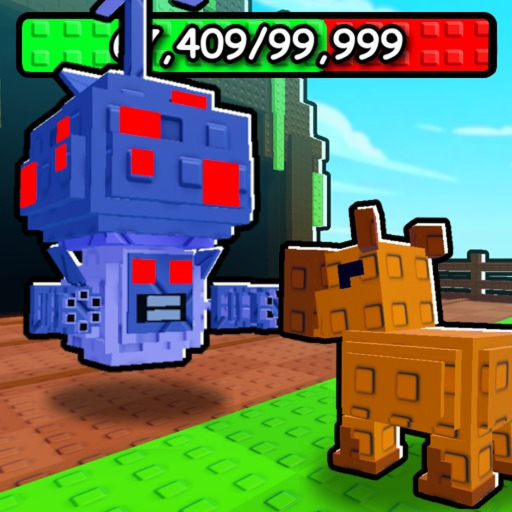
This tools section hosts small utilities that make Capybaras VS Plants daily play faster. Unlike long-form guides, tools are interactive or checklist-driven — built for the moment you join a server, need a code string, or forgot what to upgrade after Update 2.
Scarlett the Dog Group does not ship an official companion app for codes or build planning. These wiki tools fill that gap without asking you to install anything.
Tools on this wiki
Code Copier
One-click copy for every active promo code — 10KFAVS, 250KVISITS, RELEASE, and UPDATE2. Each button copies the exact string Roblox expects in the shop codes box. Use it on mobile where typing long codes is painful.
The copier page also lists rewards per code and links to the full codes guide for redemption screenshots and troubleshooting.
Progress Checklist
Narrative checklist from first join through mid-game: redeem codes, place totems, hatch Ghost eggs, upgrade tree, unlock fuse machine content, and prep for boss summons. Check items off mentally or keep the page open on a second monitor.
Pairs with the tier list hub when you need to know which egg or capybara qualifies as “good enough” for the next milestone.
When to use tools versus guides
| Situation | Use |
|---|---|
| Need a code string now | Code copier |
| Forgot milestone order | Progress checklist |
| Learning the full loop | How to Play |
| Choosing what to hatch | Egg tier list |
| Item mechanics deep dive | Items hub |
Codes and tools synergy
All four active codes matter for tools users:
- 10KFAVS — cash + Totem of Stars
- 250KVISITS — cash + Gilded Hatch Hammers
- RELEASE — cash + hammers + Ghost Capybara Egg
- UPDATE2 — cash + Wealth and Fortune totems
Redeem in order of bottleneck: cash-starved accounts lean UPDATE2 and 250KVISITS; egg-blocked accounts lean RELEASE and 10KFAVS.
Safety note on external tools
This hub only covers on-wiki utilities. Scripts and third-party executors carry account risk — read the disclaimer there before running anything outside Roblox’s official client.
Why we built on-page tools
Mobile Roblox players redeem codes in awkward keyboard modes. Desktop players alt-tab between wiki and game. The code copier removes transcription errors; the progress checklist removes “what was I supposed to do after Update 2?” paralysis. Neither tool phones home or asks for cookies — they are static pages you can bookmark.
Tool update policy
When Scarlett the Dog Group ships a new milestone code or system (recent example: fuse machine + boss in Update 2), we update tools in the same pass as codes and updates. If a tool page feels stale, compare its checklist against the latest game description on official links and ping the wiki maintainers via the site contact if something is missing.
Related pages
Frequently Asked Questions
Quick answers for Capybaras VS Plants players.
Do these tools need a Roblox login?
No. Code copier and checklist run in your browser on this wiki. You still redeem codes inside Roblox manually.
Will the checklist update after patches?
Yes. Major updates like the fuse machine and new boss trigger checklist revisions on this page.
Is the code copier better than typing codes?
On mobile and for long strings like 250KVISITS, one-click copy prevents typos that make Roblox reject redemption.